
You think of a task while you're away from your desk, type it into your phone, and then sit down at your Mac to find it isn't there. Or the other way round. A to-do list split across two devices is two half-lists, and you end up trusting neither.
The good news: if you have an iPhone and a Mac, you already have everything you need to keep one list in sync. No new account, no password to remember, no sign-up form. Here's how it works and how to pick the right setup.
Why you don't need another account
Many to-do apps ask you to create an account before you can add a single task. That account is how they move your data between devices: your tasks go to the company's servers, and every device logs in to fetch them.
On Apple devices there's a built-in alternative: iCloud. You're already signed in with your Apple ID on your iPhone and your Mac. Apps can store their data in your own private iCloud space, and Apple keeps it in sync between your devices. Nothing to sign up for, and the app developer doesn't get a copy of your tasks.
"The best sync is the one you never have to set up."
Your options, compared
| Option | Extra account | Mac menu bar | Widgets |
|---|---|---|---|
| Apple Reminders | No | No | Yes |
| Apple Notes checklist | No | No | Note only |
| Apps with their own account | Yes | Varies | Usually |
| TodoNxt | No | Yes | Yes |
Apple Reminders
Free and syncs through iCloud out of the box. It's a solid choice if you think in due dates and lists. On the Mac it's a full window app, so adding a quick task means switching away from what you're doing.
Apple Notes
A checklist in a note syncs instantly and works everywhere. It's great for a shopping list, less so for a daily task list: there's no way to separate what's urgent from what can wait, and finished items pile up.
Apps with their own account
Cross-platform task managers sync through their own servers. That's the right call if you also use Windows or Android. If you only use Apple devices, it's an extra login and another company holding your data.
TodoNxt
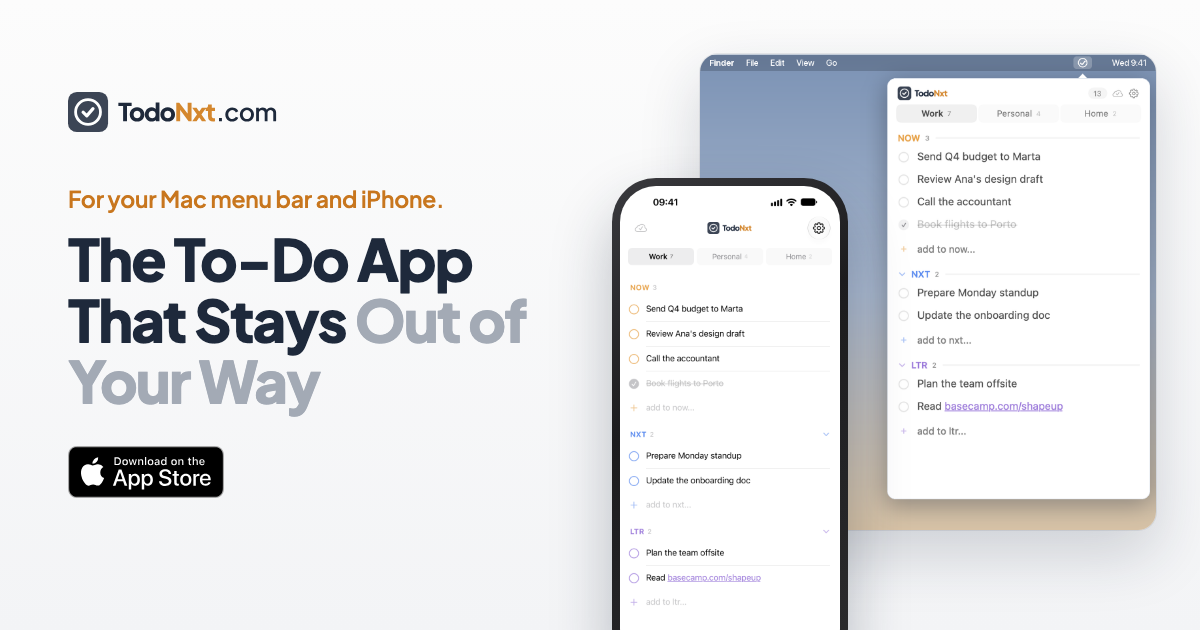
TodoNxt lives in your Mac menu bar and on your iPhone, and syncs through your private iCloud. There's no TodoNxt account and no TodoNxt server: we can't see your tasks. Your tabs and settings sync too, so the same three lanes (Now, Nxt and Ltr) are waiting on both devices.
How to set it up
For any app that syncs through iCloud, the setup is the same:
- Use the same Apple ID on both devices. On iPhone, check Settings › [your name]. On Mac, check System Settings › [your name].
- Make sure iCloud is on for the app. On iPhone, go to Settings › [your name] › iCloud and check the app is allowed to use iCloud.
- Install the app on both devices. With a universal purchase, one subscription unlocks it on your iPhone and your Mac.
- Add a task on one device. It should appear on the other within moments.
How fast is iCloud sync?
Usually a few seconds, sometimes longer. iCloud pushes changes to your other devices as soon as it can, but iOS may wait a little to save battery, for example in Low Power Mode or when the app has been in the background for a while.
If you want to be sure you're seeing the latest list, most apps let you refresh by hand. In TodoNxt, pull down on the list on iPhone, or click the cloud button in the Mac menu bar.
If tasks aren't syncing
- Check the Apple ID. Two different Apple IDs means two separate iCloud spaces, and nothing will sync between them.
- Check you're online. Changes made offline sync once you reconnect.
- Check iCloud storage. If your iCloud is full, new data can't be saved there.
- Give it a moment, then refresh. Open the app on the device that's behind and pull to refresh.
The bottom line
If all your devices are Apple, iCloud is the simplest way to keep one to-do list everywhere: no account, no password, and your data stays private. Pick an app that syncs through iCloud and fits how you work, and the "where did I write that down?" moments go away.
TodoNxt keeps one list in your Mac menu bar and on your iPhone, synced through your private iCloud. No account, no sign-up.
Try TodoNxt free for 3 days →